How Does AI Help With Crop Disease Detection?
AI can help farmers screen crop symptoms from plant photos, prioritize field checks, and investigate problems sooner—but image results still need field context and, in uncertain cases, expert or laboratory confirmation.
AI helps with crop disease detection by analyzing plant photos for visible symptom patterns and returning likely matches that farmers can investigate in the field. Computer-vision models can screen features such as leaf spots, lesions, discoloration, unusual texture, deformation, or visible growth and use those patterns to suggest what may deserve closer attention.
The important distinction is that an image result is a screening clue, not a guaranteed diagnosis. Nutrient problems, water stress, heat, herbicide injury, insects, and several diseases can produce similar symptoms. The most useful workflow combines the AI result with where symptoms appear in the field, crop history, recent weather and inputs, and professional or laboratory confirmation when the case is uncertain or the treatment decision is important.
What AI can detect—and what it cannot confirm from a photo alone
AI is strongest when a problem has a clear visual pattern that is represented well in the model's training data. It is weaker when different causes look alike or when the important evidence is hidden inside roots, stems, soil, or laboratory-scale tissue changes.
- AI can help screen: spots, lesions, yellowing, discoloration, visible fungal-like growth, damaged tissue, abnormal shapes, and repeated symptom patterns.
- AI cannot reliably infer every cause: visually similar nutrient deficiencies, drought or heat stress, chemical injury, pest damage, and disease can overlap.
- A photo may miss critical evidence: roots, split stems, lower leaf surfaces, field-distribution patterns, weather history, and crop-management history can change the diagnosis.
- Laboratory confirmation may still be needed: some viral diseases, mixed infections, and difficult cases cannot be confirmed confidently from images alone.
Why early crop disease detection matters
When crop disease is identified too late, affected areas may become harder and more expensive to manage. Earlier recognition gives farmers more time to inspect the crop, compare healthy and affected plants, understand how symptoms are distributed, and decide whether a targeted response or further diagnosis is needed.
AI can shorten the first step of that process. Instead of waiting to identify every suspicious symptom manually, a farmer can use a phone image to prioritize which plants or field zones deserve closer attention.
How AI crop disease detection works
Most image-based systems use computer vision and machine-learning models trained on examples of healthy plants and plants showing known symptoms. A typical workflow looks like this:
- Capture an image: photograph the affected leaf, stem, fruit, or other plant part.
- Analyze visible features: the model evaluates color, shape, texture, lesion edges, spotting patterns, and other visible clues.
- Compare with learned examples: the system compares those features with disease or symptom classes represented in its training data.
- Return likely matches: the result gives the farmer a starting point for further field inspection rather than replacing that inspection.
- Add context: the farmer checks the result against crop stage, weather, irrigation, fertilizer or pesticide history, and how symptoms are distributed.
How to take better plant photos for AI disease detection
Photo quality and context directly affect the usefulness of image-based diagnosis. University extension diagnostic services recommend using good natural light, showing more than one view, and photographing both the symptoms and the broader field context.
- Use natural light and sharp focus. Avoid dark indoor photos, heavy shadows, motion blur, and digital zoom that removes detail.
- Photograph the sick-but-living tissue. Completely dead tissue can be colonized by secondary organisms and may hide the original cause.
- Take both close and wider images. Capture a detailed symptom photo, the whole affected plant, and a wider image showing how the problem is distributed.
- Photograph both leaf surfaces. The underside of a leaf can show diagnostic clues that are not visible from above.
- Include stems, stalks, fruit, or roots when relevant. Visible leaf symptoms can originate from problems elsewhere in the plant.
- Compare healthy and affected plants. Side-by-side examples can make abnormal patterns easier to interpret.
- Use several representative plants. Do not rely on one unusual leaf when the same issue appears across a larger area.
How field context changes the diagnosis
Experienced crop diagnosis uses more than the appearance of one leaf. The pattern of symptoms across the field can help separate infectious disease from non-infectious stress. For example, a uniform pattern along an equipment pass can suggest a different cause than scattered patches that expand over time.
Before acting on an AI result, check:
- when the symptoms first appeared and whether they are spreading;
- whether the problem is concentrated in low areas, field edges, rows, irrigation zones, or equipment passes;
- which crop growth stage is affected;
- recent rainfall, temperature, humidity, irrigation, or drought stress;
- recent fertilizer, pesticide, or herbicide applications;
- whether nearby healthy plants show the same pattern.
How AI helps farmers in the field
The practical value is not simply naming a possible disease. AI can improve the way farmers organize scouting and decide what needs attention first.
- Faster screening: suspicious plants can be checked immediately during routine scouting.
- More consistent observations: the same screening workflow can be repeated across multiple plants and field zones.
- Better prioritization: likely problem areas can be flagged for closer inspection or sampling.
- Earlier follow-up: a fast first result can reduce the delay between seeing a symptom and investigating it.
- Better records: repeated photos can document when symptoms appeared and how they changed.
When should you confirm an AI disease result?
Confirmation becomes more important as the cost or consequence of a decision increases. A low-confidence result, an unfamiliar symptom, a rapidly spreading problem, or a treatment that would affect a large area should receive additional scrutiny.
Consider an agronomist, extension specialist, crop advisor, or plant disease laboratory when:
- several possible causes fit the same visible symptoms;
- the AI result conflicts with the field pattern or crop history;
- roots, stems, vascular tissue, or internal symptoms need examination;
- a viral or mixed infection is suspected;
- the problem is spreading quickly or could cause major economic loss;
- the proposed treatment is expensive, irreversible, or carries important crop-safety implications.
A practical AI disease-detection workflow
- Scout the field and identify representative sick-but-living plants.
- Take clear close-up, whole-plant, and field-context photos.
- Run the images through the AI disease-detection tool.
- Compare the likely result with symptom distribution, weather, irrigation, and recent field operations.
- Review more than one affected plant before drawing conclusions.
- Confirm uncertain or high-impact cases with qualified local expertise or laboratory testing.
- Record what was observed and monitor whether the affected area changes after the response.
If your first question is what symptom am I seeing?, use our guide to crop disease symptoms and early signs. To compare major pathogen groups, see the types of crop diseases. For a broader diagnostic process, continue with our crop disease diagnosis guide.
How AgroAdvisor fits into the workflow
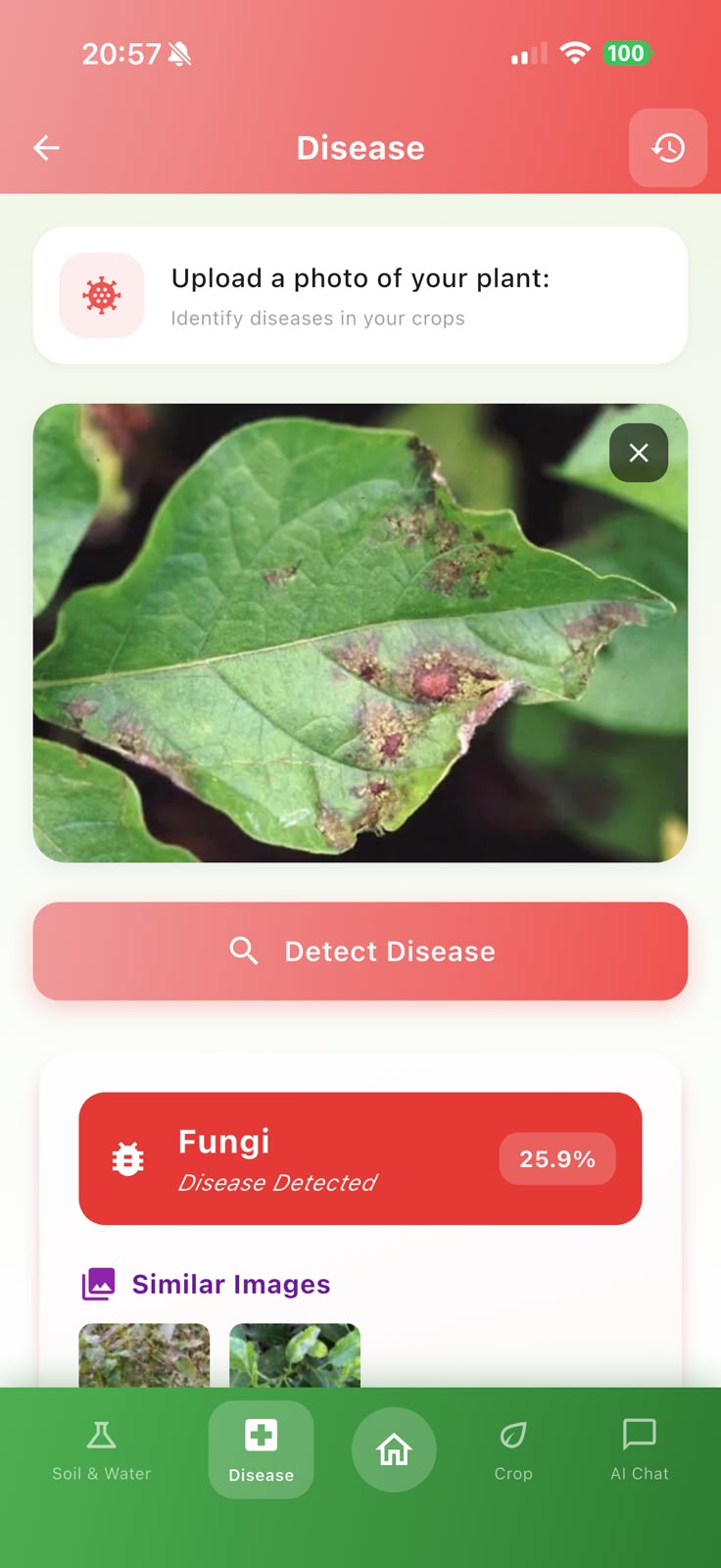
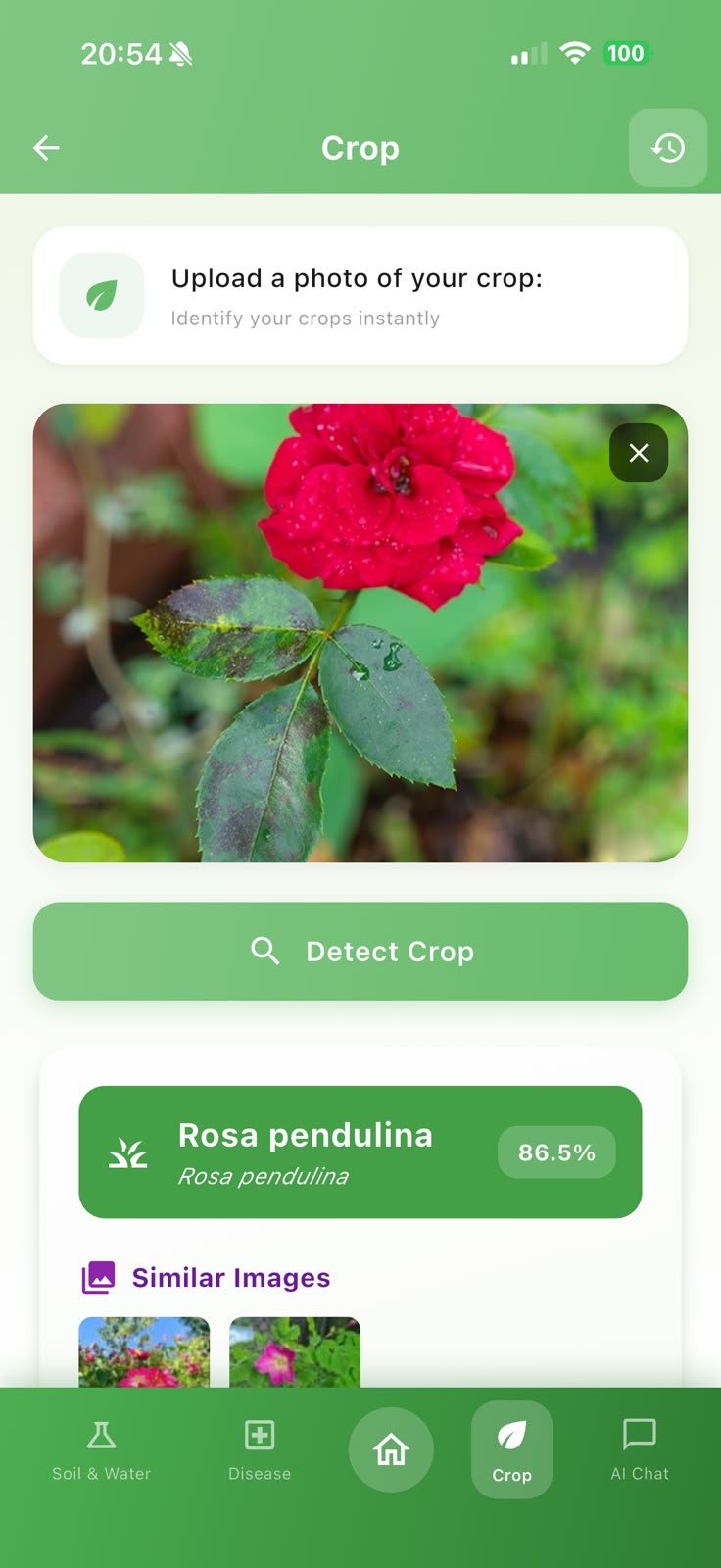
AgroAdvisor combines image-based crop disease screening with other agricultural information in one mobile experience. Farmers can use a plant image as a starting point, then consider field conditions and ask follow-up questions before deciding what to investigate next.
The app should be treated as decision support: it can help structure the investigation and surface likely possibilities, while the farmer still decides when local agronomic expertise, sampling, or laboratory confirmation is appropriate.
For a wider view of AI on the farm, read how AI is used in agriculture and smart farming. You can also compare the broader impact of common plant diseases.
Conclusion
AI helps with crop disease detection by turning plant images into fast screening clues. Its value is greatest when good photos are combined with field patterns, crop history, weather, farmer experience, and expert confirmation where needed. Used this way, AI can make scouting more efficient without pretending that one photo contains every piece of evidence required for a reliable diagnosis.
Sources and further reading
- University of Minnesota Extension — Digital Crop Doc: diagnostic photo and field-context guidance
- University of Minnesota Extension — Diagnostic help for fruit and vegetable farmers
- Penn State Extension — Diagnosing a Plant Problem 101
- Deep learning networks-based tomato disease and pest detection: review of research using real field datasets
- Plant disease detection with AI: methods, applications, and limitations
See the AgroAdvisor workflow
Original AgroAdvisor app screens show how field observations can move from a crop scan to a more focused review.